


I thought building an app from scratch wouldn't take this much time and effort but I was wrong. In this post, I'll introduce the overview of this project, sharing the processes I've been going through such as problem finding, design, development, and last but not least, deployment.
Process
- Problem - Solution
- Tools
- Design
- Development
- Deployment
Defining problem and solution
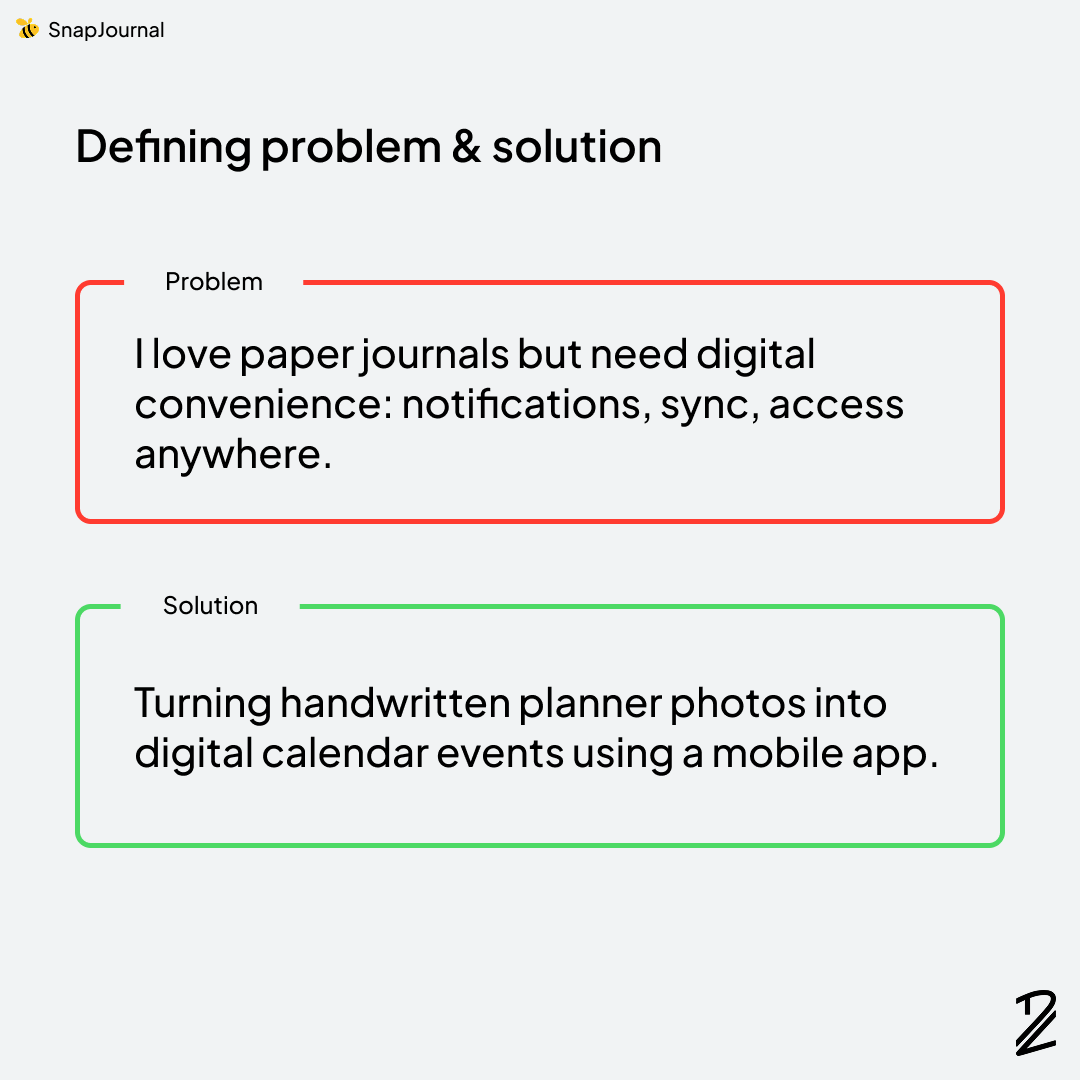
The problem stems from my daily routine. I wake up in the morning, sit at my desk, take quiet time for morning devotions, and write out my day in my planner. I love the tactile experience of paper, but I miss the convenience of digital tools like notifications and instant access. Since I already have experience in mobile app design and development, the solution came naturally. Build an AI-powered app that bridges both worlds. I was genuinely excited to make it happen.
Which tools I use?
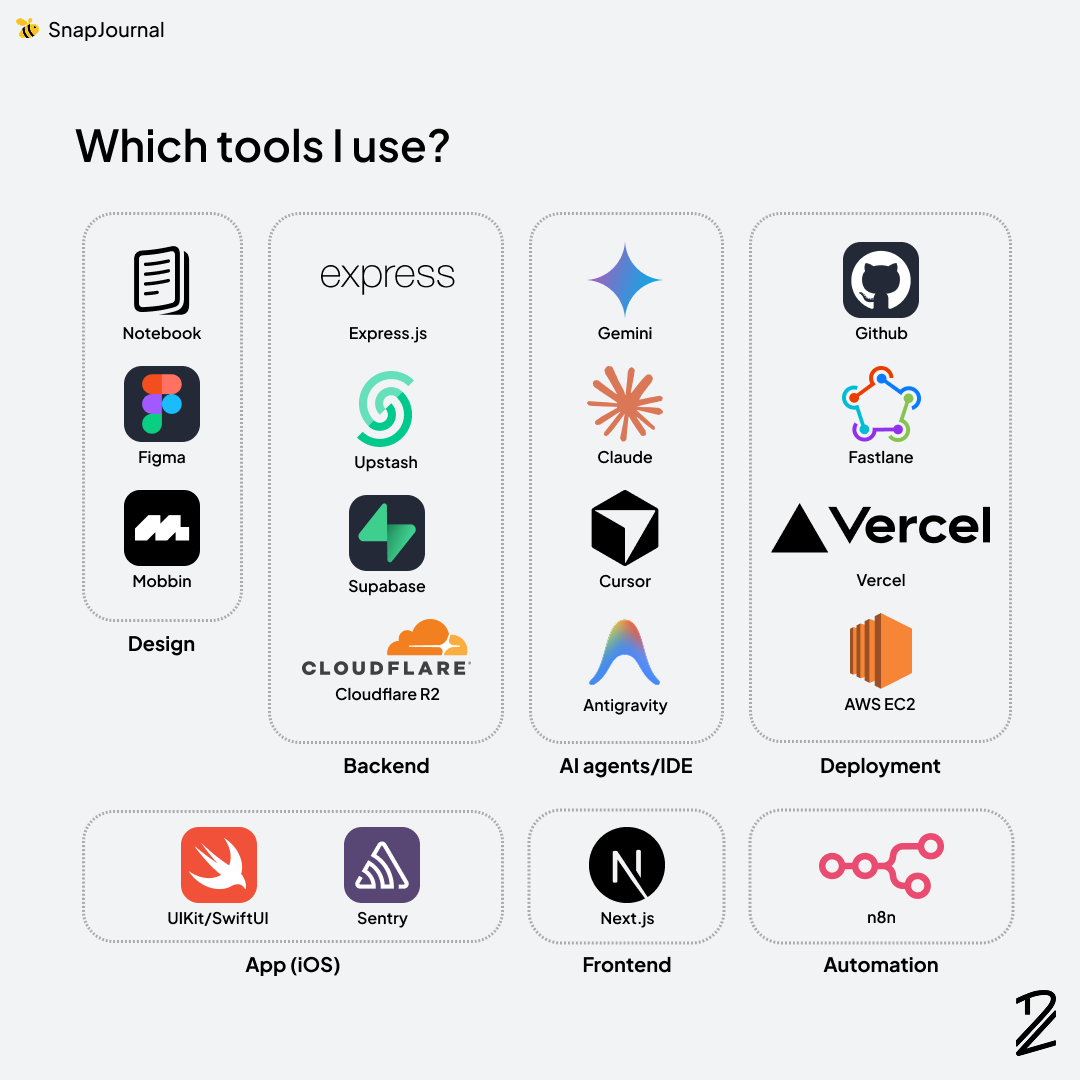
At first glance, this may look like too many tools. However, the ones I use frequently are actually limited. With the help of AI agents, I was able to learn things fast and efficiently. My favorite go-to was definitely Claude (Claude Code). This post shows the overview of this project so I'll write another to explain the logic and reasoning behind each tool choice.
Take a peek in design process
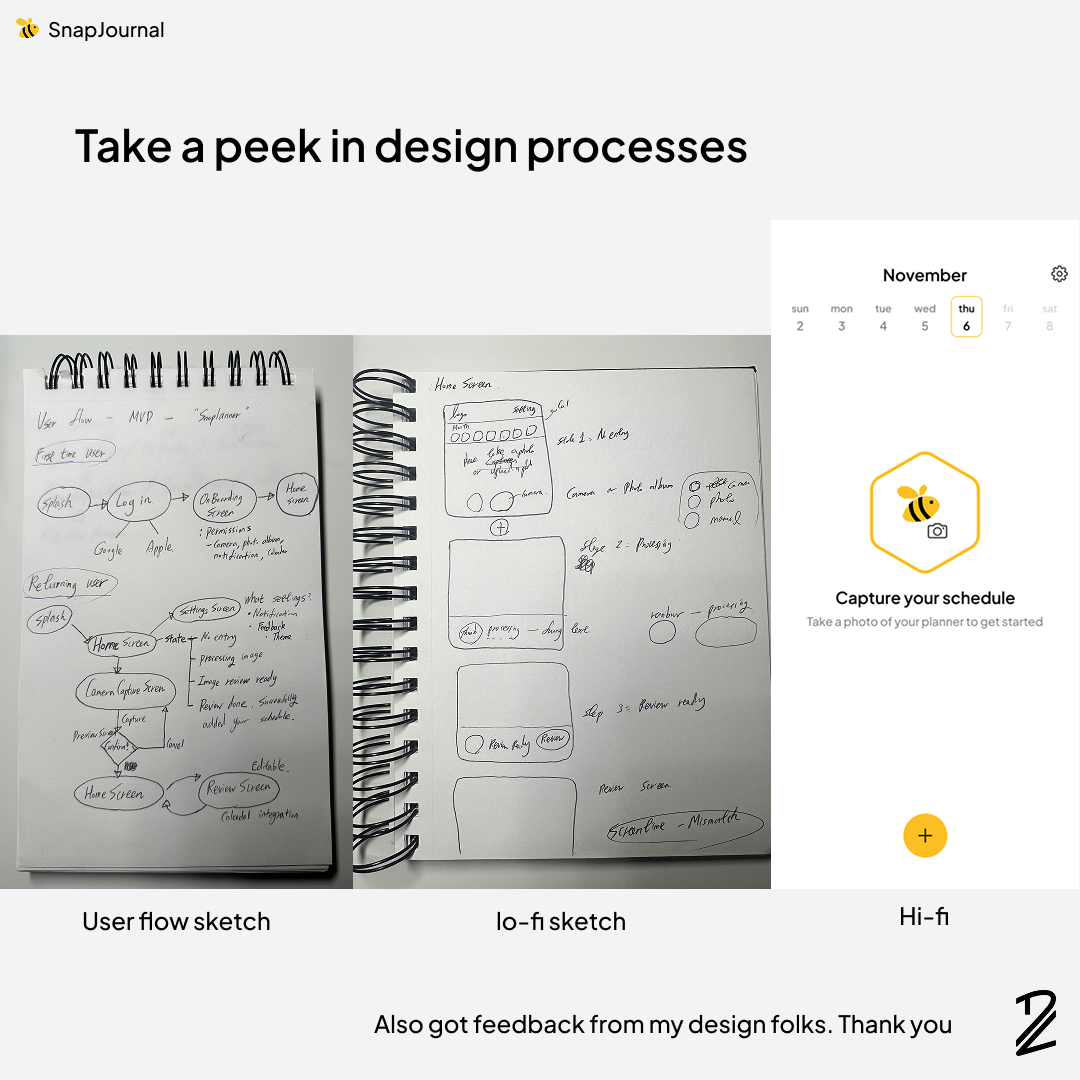
Whenever I start brainstorming, I prefer sketching in my notebook, scribbling ideas and rough drawings that are completely unrefined. Sometimes only I can understand them with my poor handwriting 🤣. Once the ideas crystallize, I transfer them into Figma to create high-fidelity designs and iterate through multiple versions. I also asked fellow designers for feedback, and they gave me great reviews. Thank you again!
Development
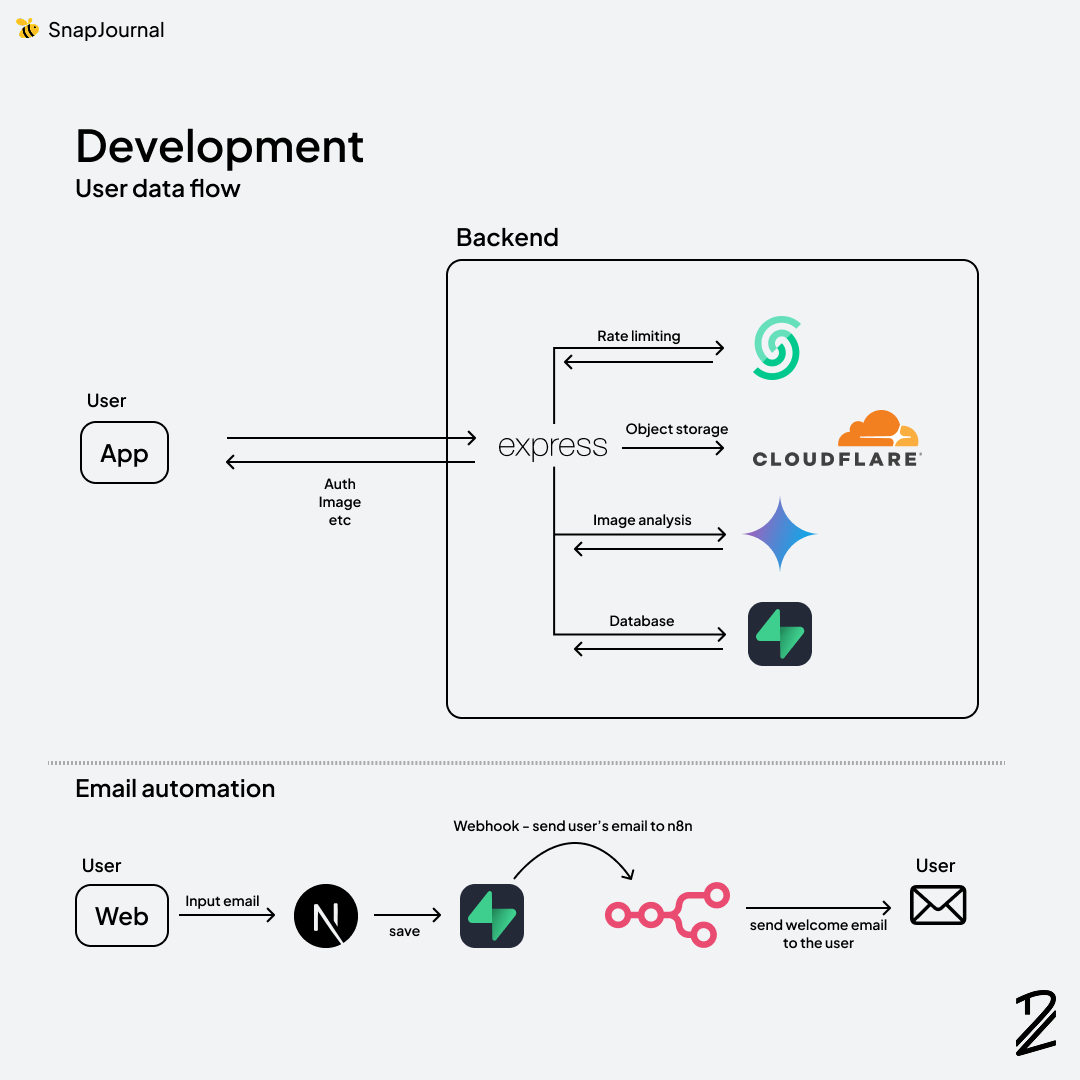
For this part, I've got a lot to talk about. Most of the frustrations and miseries happened here. Endless debugging was exhausting, but in the end, the rush of dopamine and ecstasy when I fixed errors made it all worth it. That's why I love programming. Vibe-coding has been popular lately, but I'd say I did hybrid-coding: using AI for repetitive, small tasks while architecting the structure myself. AI is smart, but it definitely needs clear and precise instructions to work as expected. Email automation using n8n was definitely worth it, and I'll try to find more use cases for this project.
Deployment
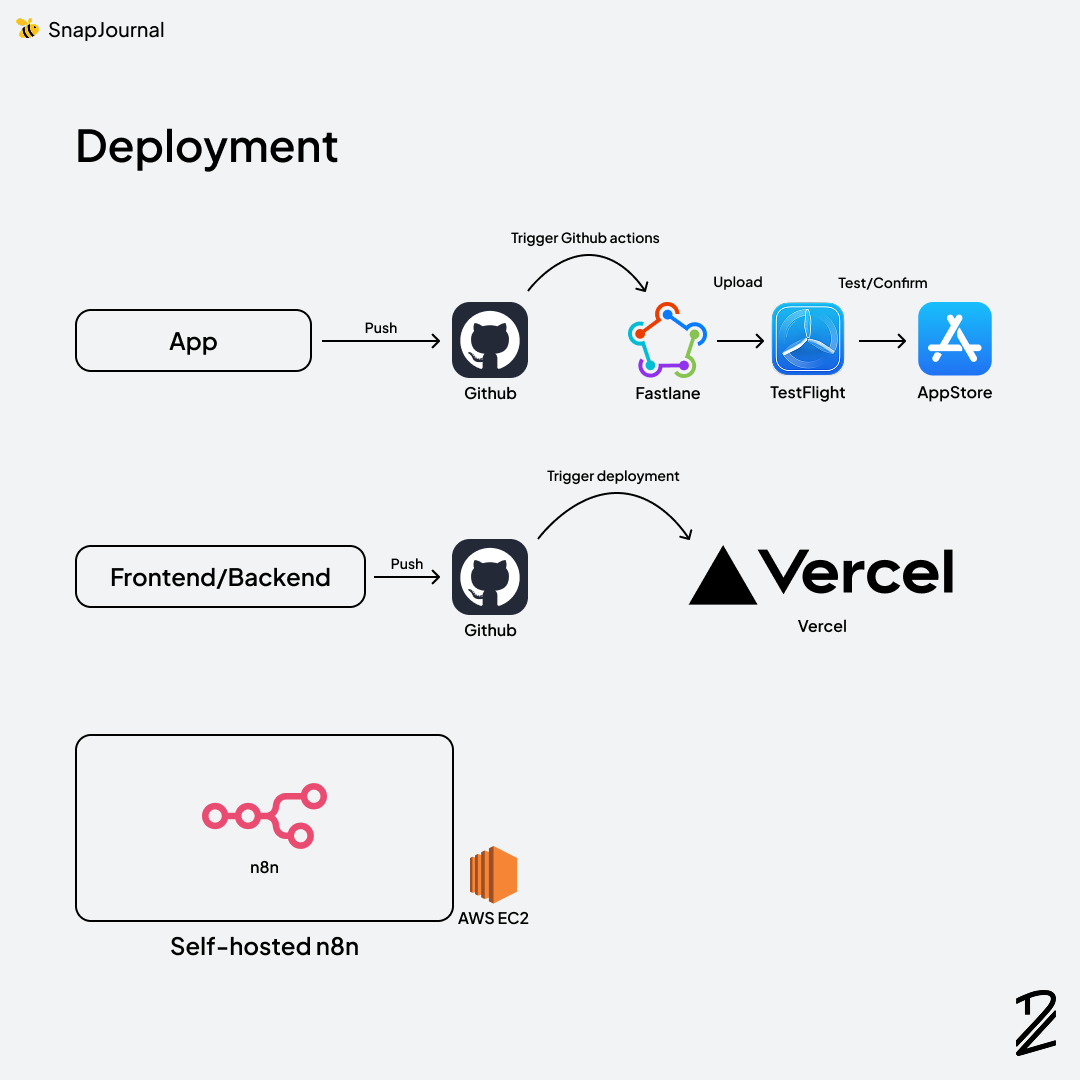
Finally, the last part: deployment. For the web services, Vercel did all the heavy lifting, so basically all I had to do was push the code to GitHub.
Deploying the app to TestFlight was apparently supposed to be easy, but it turned out to be a bit tricky. I could've just deployed it from my laptop, but I wanted to set up a robust CI/CD pipeline regardless of the environment. So, with the help of AI and a good friend of mine who's a senior software engineer, I was able to build it. Of course, a lot of failures followed.
Self-hosting n8n on AWS EC2 was easy, and I also connected n8n to my domain (https://n8n.snap-journal.app/)
Conclusion
Building SnapJournal from the ground up was more challenging than I anticipated, but the journey from problem to deployment taught me invaluable lessons. From sketching rough ideas in my notebook to iterating through Figma designs, wrestling with endless debugging sessions, and finally setting up a robust CI/CD pipeline, each phase pushed me to grow as a designer/developer. AI tools like Claude Code accelerated my learning curve, but the real satisfaction came from architecting the solution myself and watching it all come together. This is just the beginning! and I'm excited to see where SnapJournal goes next and to share more detailed insights in future posts.
Thank you for reading my post.