


In EP3, I shared the exciting news. SnapJournal is live on the App Store. But that post was the celebration. This one is the reality check.
Building the app was one challenge. Getting it onto the App Store? That was a completely different kind of battle. I'm not talking about writing code or fixing bugs. I'm talking about the approvals, verifications, rejections, and waiting games that nobody really warns you about.
If you're an indie developer about to launch your first iOS app, this post is for you. I'm sharing the exact timelines I went through so you know what to expect and more importantly, what to start early.
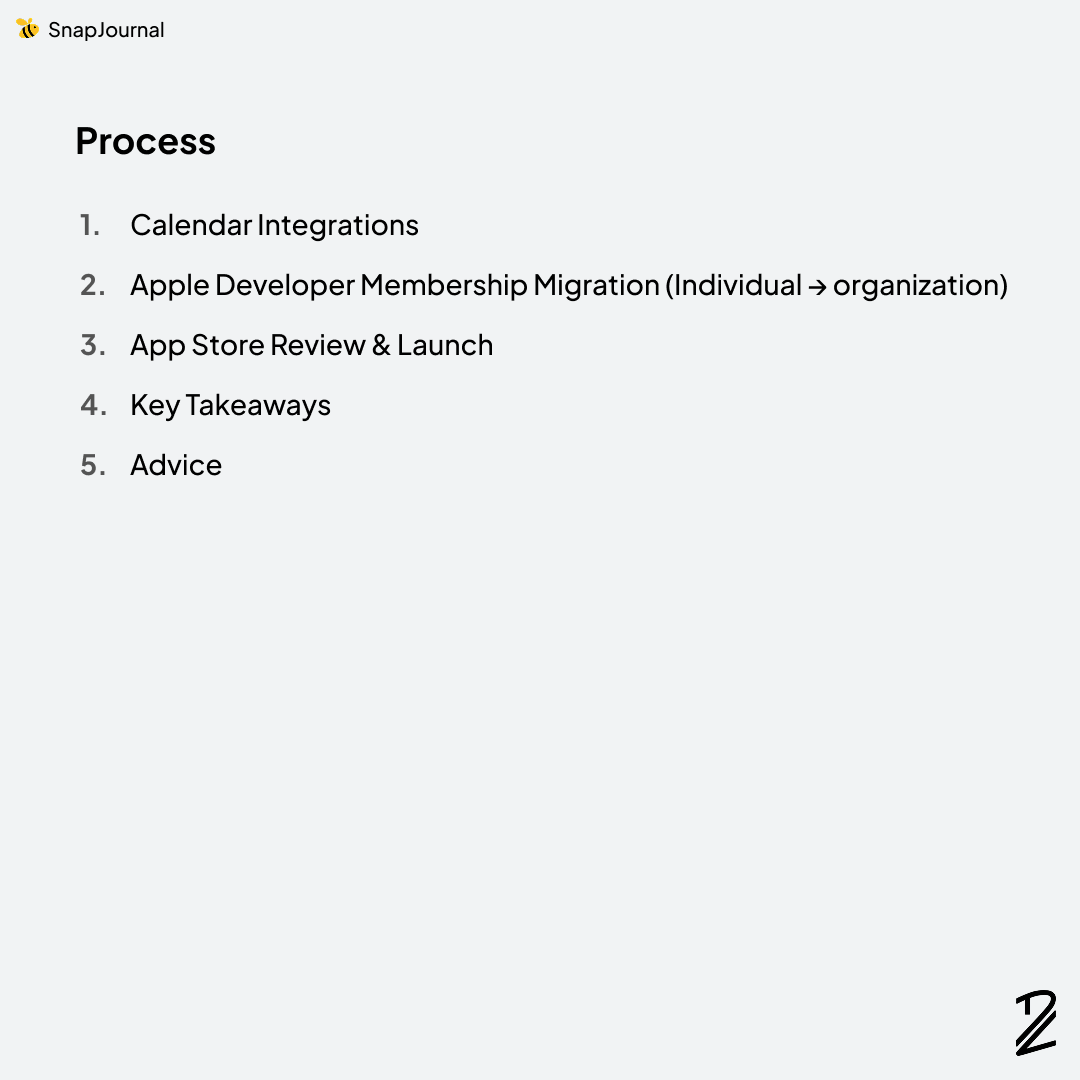
Process
- Calendar Integrations
- Apple Developer Membership Migration (Individual → organization)
- App Store Review & Launch
- Key Takeaways
- Advice
Calendar Integrations — Three Providers, Three Experiences
SnapJournal converts handwritten planner photos into digital calendar events, so calendar integration is the core of the app. I needed to support three major providers: Apple Calendar, Google Calendar, and Microsoft Outlook. Each one had a completely different process to get production access.
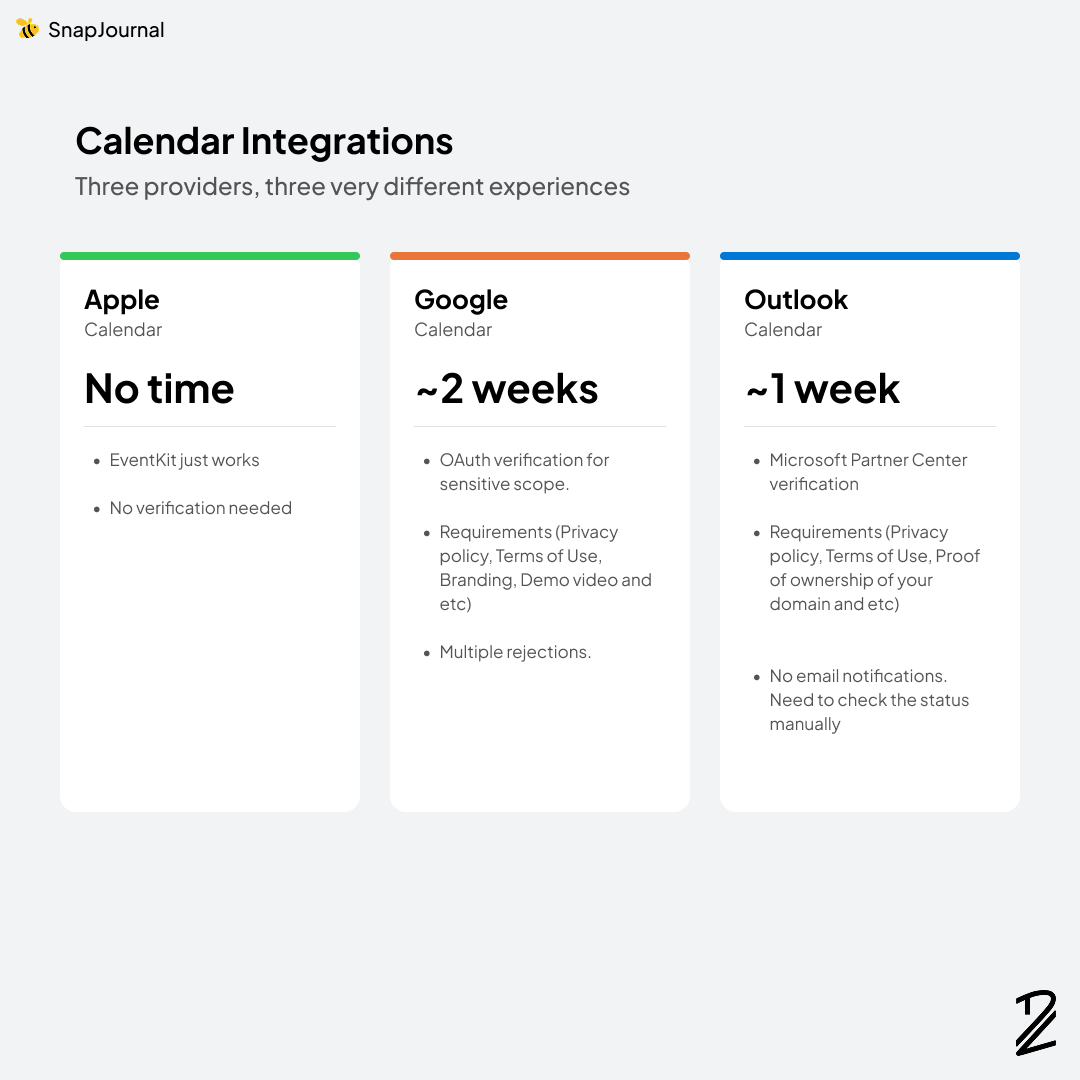
Apple Calendar — No approval needed
Apple's EventKit framework just works. You request permission from the user, and if they grant it, you can read and write calendar events. No verification process, no OAuth review, no waiting.
Google Calendar — ~2 weeks (Jan 5 – Jan 17)
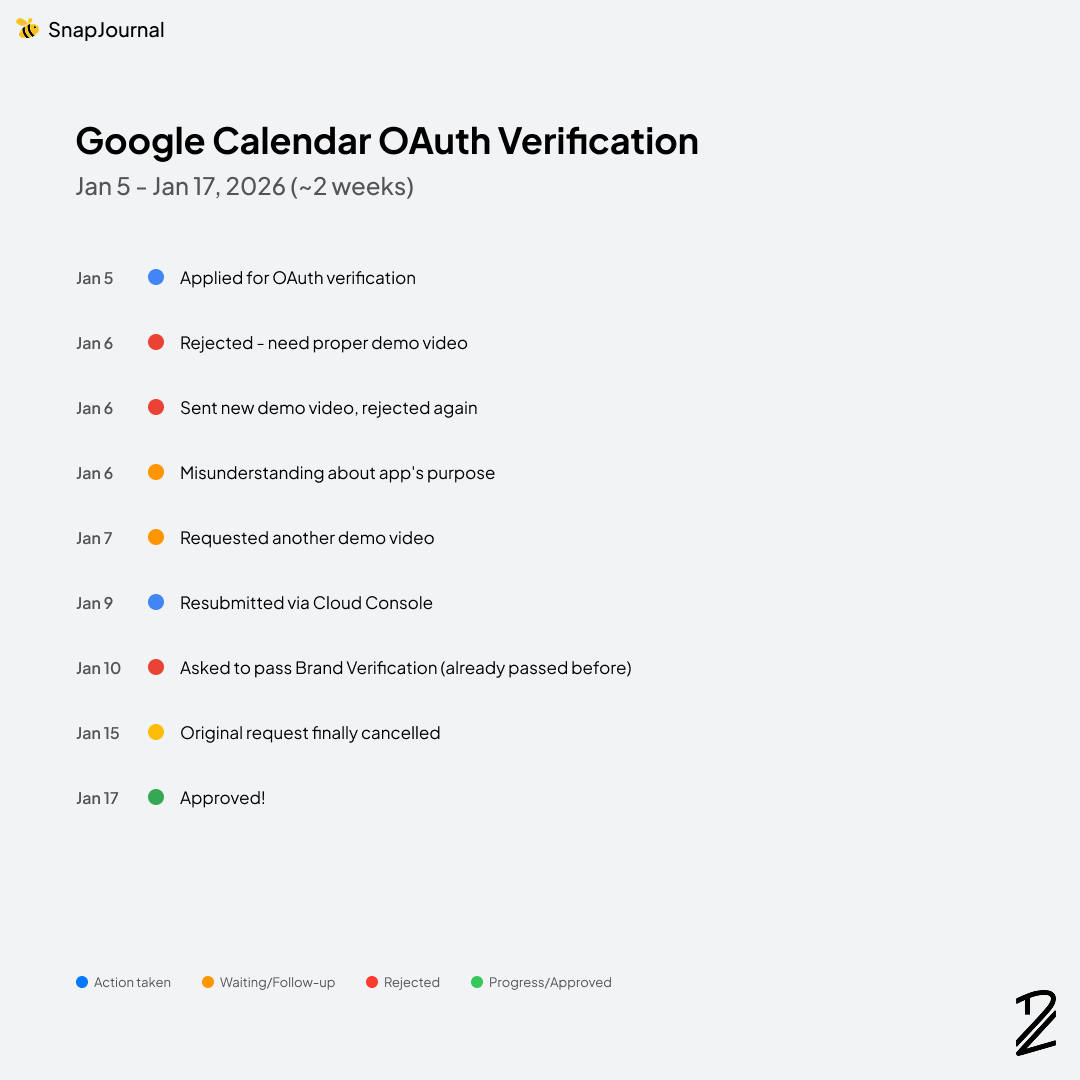
This one tested my patience. Google Calendar's read/write scope is classified as "sensitive," which means you need to go through OAuth verification before your app can access it in production.
I applied on January 5th. It was rejected the next day, and they wanted a proper demo video. I sent one that same day. It was rejected again. This time, they misunderstood what my app does. They thought SnapJournal was only processing users’ data on Google Calendar, not just storing the extracted schedules on the calendar.
I talked to them to correct the misunderstanding. They understood but asked for yet another demo video. I made changes directly on the Google Cloud Console, asked them to cancel my original request, and resubmitted. Then they asked me to pass Brand Verification which I had already passed. And they still hadn't cancelled my original request.
More back-and-forth. They finally cancelled the old request on January 15th. Two days later, on January 17th, I was approved.
The lesson? When submitting for Google OAuth verification, make sure your app description clearly explains why you need the scope. Don't assume the reviewer will understand your app's flow from a video alone.
Microsoft Outlook — ~1 week (late Jan)
Microsoft requires you to register through the Microsoft Partner Center and go through a verification process to use their calendar APIs in production. Similar to Apple's developer membership. You need to submit documents proving your company is legitimate and that you're authorized to represent it.
The process itself wasn't complicated. Mostly waiting. But here's the annoying part: Microsoft doesn't send you email notifications about your verification status. You have to manually log into the Partner Center and check. I started this process around the last week of January while I was waiting for Apple's approval of my company enrollment, and it was done in about a week.
Apple Developer Membership — Individual to Organization (57 days)
This was by far the longest and most frustrating part of the entire launch process. If you're planning to migrate from an Individual to an Organization membership, buckle up. It starts before you even talk to Apple.
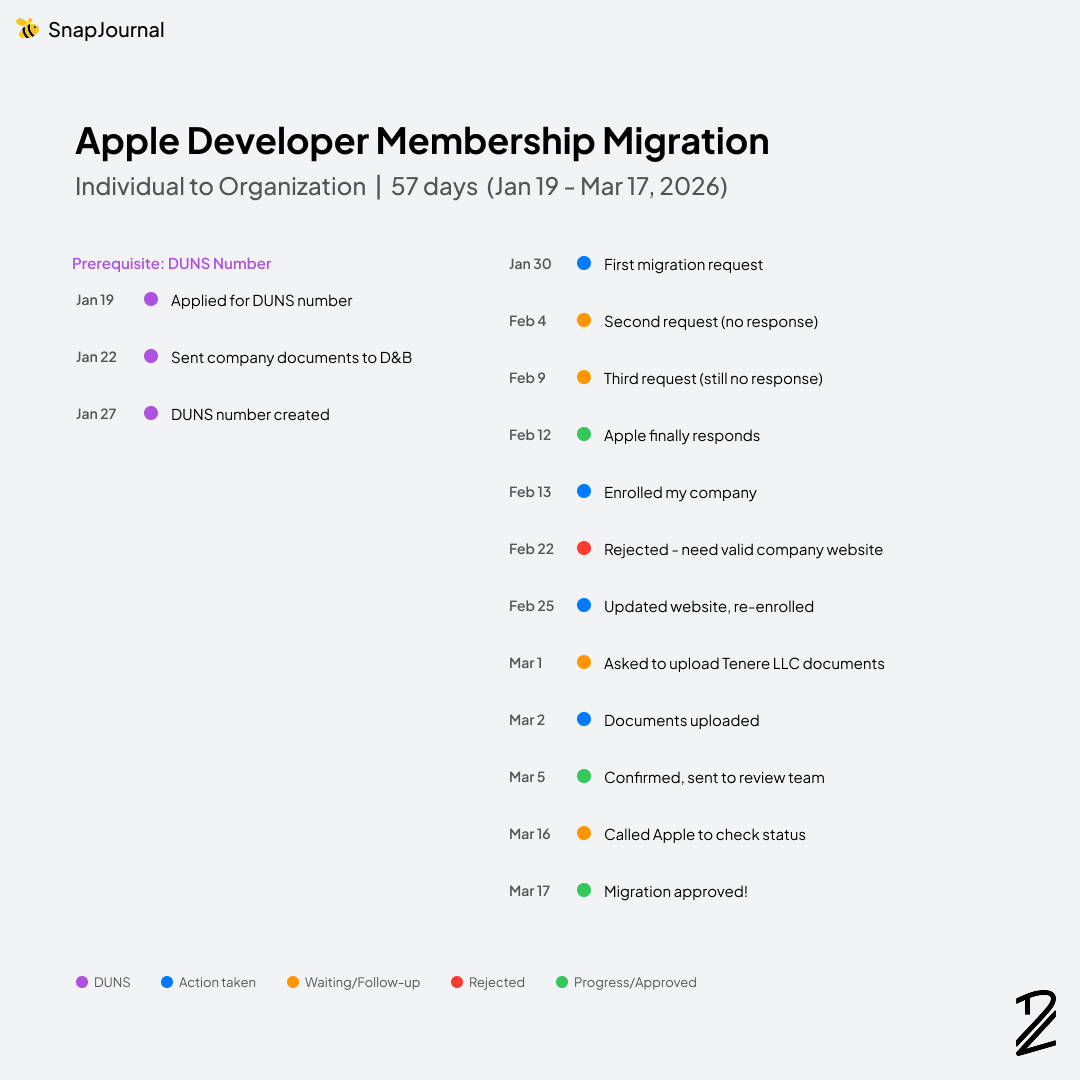
The timeline:
Jan 19 — Applied for a DUNS number. If you're registering as an Organization, Apple requires a DUNS number for your company — it's a unique identifier issued by Dun & Bradstreet. They requested company documents immediately the same day.
Jan 22 — Sent the required documents (it took 3 days to find an email from Dun & Bradstreet because I wasn’t used to iCloud email. I kept checking Spam.)
Jan 27 — DUNS number created. Now I could actually start the migration process with Apple.
Jan 30 — I submitted my first request to migrate from Individual to Organization membership.
Feb 4 — No response. Submitted a second request.
Feb 9 — Still no response. Submitted a third request.
Feb 12 — Apple Developer Support finally got back to me, asking if I wanted to start the migration. I replied immediately. (Yes, obviously. That's why I've been asking for two weeks.)
Feb 13 — Received a system-generated email with a link to enroll my company. Someone also followed up to make sure I got it. I enrolled the same day.
Feb 22 — Rejected. Reason: I needed to include a valid company website.
Feb 25 — Updated my website and enrolled again. Apple confirmed they received my request.
Mar 1 — They asked me to upload documents for my company.
Mar 2 — Uploaded the documents.
Mar 5 — Apple confirmed receipt and sent everything to the review team.
Then silence.
Mar 16 — I called Apple Developer Support to check on the status.
Mar 17 — Approved.
57 days. From applying for the DUNS number to final approval. The DUNS number alone took 8 days, then the first two weeks of the migration were just me sending requests into the void. If I hadn't been persistent — submitting three times — I wonder how long it would've taken for anyone to respond.
A few things to note: get your DUNS number first. You can't even start the Organization enrollment without it. The company website rejection also caught me off guard. If you're setting up a website for your company, make sure you have a proper website and your DUNS number ready before you start the enrollment process. Also, don't be afraid to call Apple Developer Support directly. After 11 days of silence from the review team, one phone call got it moving.
App Store Review & Launch (4 days)
After months of verifications and approvals, the actual App Store review was surprisingly fast.
Mar 27, 9:42 PM — Submitted my first build for review.
Mar 28, 6:09 AM — Rejected. Two issues. First, the app crashed when the reviewer tried to open the camera. My code didn't handle all camera types across every iPhone and iPad model — the reviewer's device triggered a crash I'd never seen in my own testing. Second, there were metadata issues with my subscription (in-app purchase) setup.
Mar 30, 2:21 PM — Fixed both issues, squashed a few other bugs I found along the way, and resubmitted.
Mar 31, 5:56 AM — Review completed. Status changed to "Ready for Distribution." SnapJournal was live on the App Store minutes later.
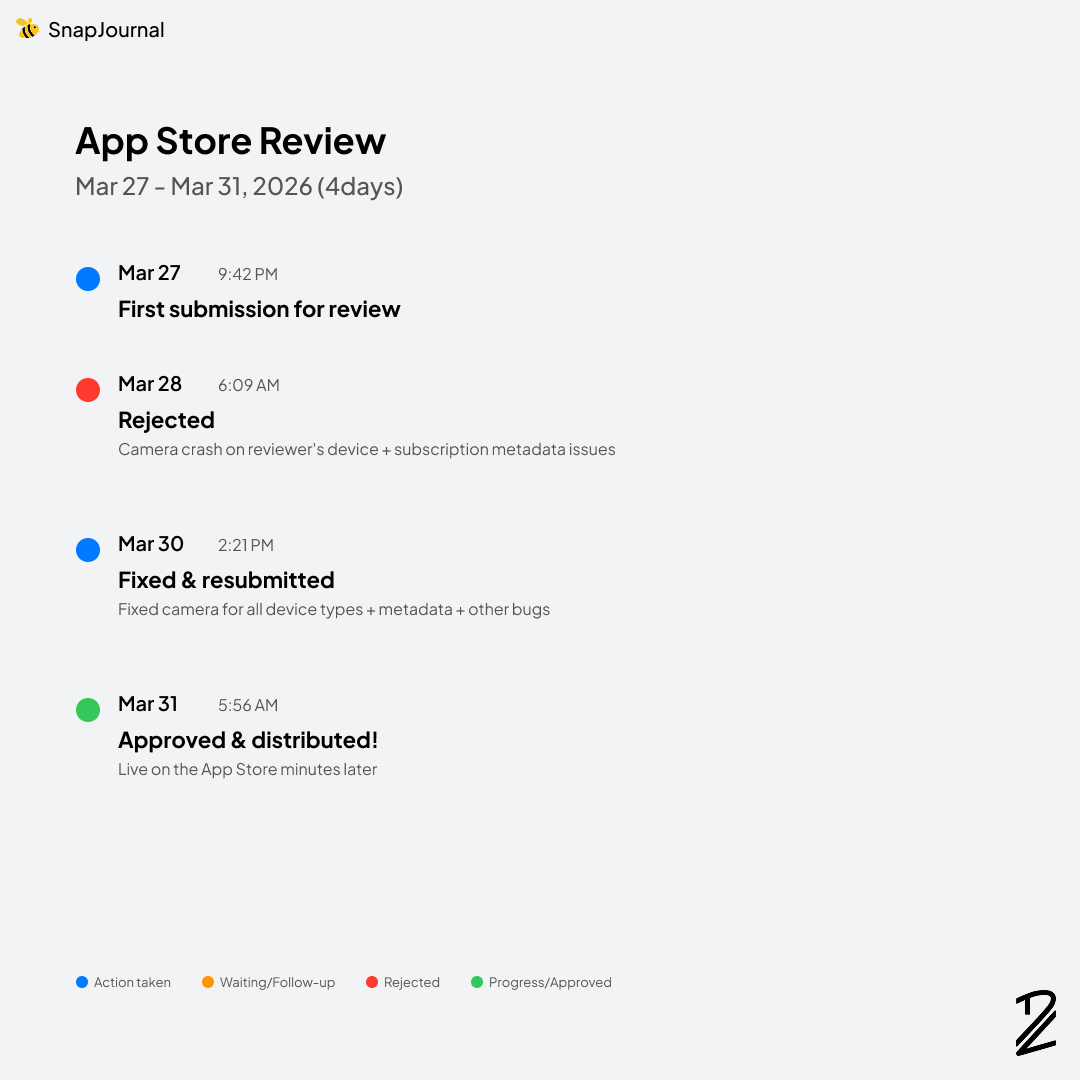
From first submission to live on the store: 4 days. Each review took less than 12 hours, which was faster than I expected. The rejection was frustrating in the moment, but looking back, it was a fair catch. Testing on every device configuration is hard, especially as a solo developer, and Apple's reviewers found something real.
Key Takeaways
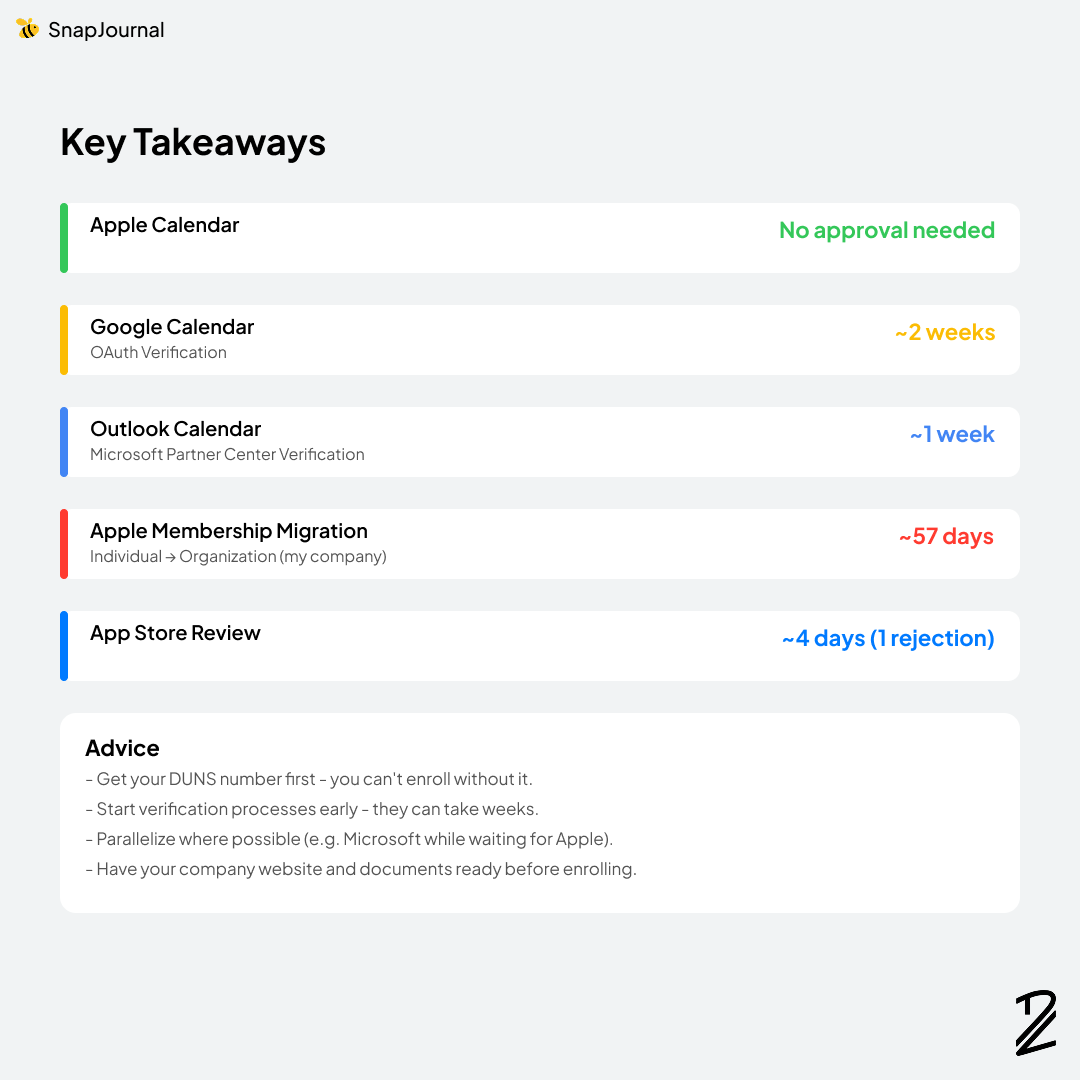
Here's a quick summary of my timelines:
- Apple Calendar: No approval needed
- Google Calendar (OAuth Verification): ~2 weeks
- Outlook Calendar (Microsoft Partner Center Verification): ~1 week
- Apple Membership Migration (Individual → Organization): ~57 days
- App Store Review: ~4 days (1 rejection)
Conclusion
Launching SnapJournal on the App Store took a lot more than just writing good code. The verification processes, membership migrations, and review cycles added up to months of waiting, following up, and problem-solving that had nothing to do with programming.
But it's done. SnapJournal is live, and looking back, every step, even the frustrating ones, taught me something valuable about what it takes to ship a real product.
If you're about to launch your first iOS app, I hope this post saves you some surprises. Start your verifications early, keep your documentation ready, and don't be afraid to pick up the phone when things go quiet.
Thank you for reading, and if you have questions about any part of the process, feel free to reach out!
Have you launched an app before? What surprised you the most about the process?
Download the app with this link: https://apps.apple.com/us/app/snapjournal/id6756394072